









Ever tried to annotate a PDF only to find it’s locked for editing? You’re not alone—millions of professionals face this frustration daily. Whether it’s a client’s blueprint, a government form, or a protected contract, traditional PDF editors hit a wall when files are marked “read-only.”
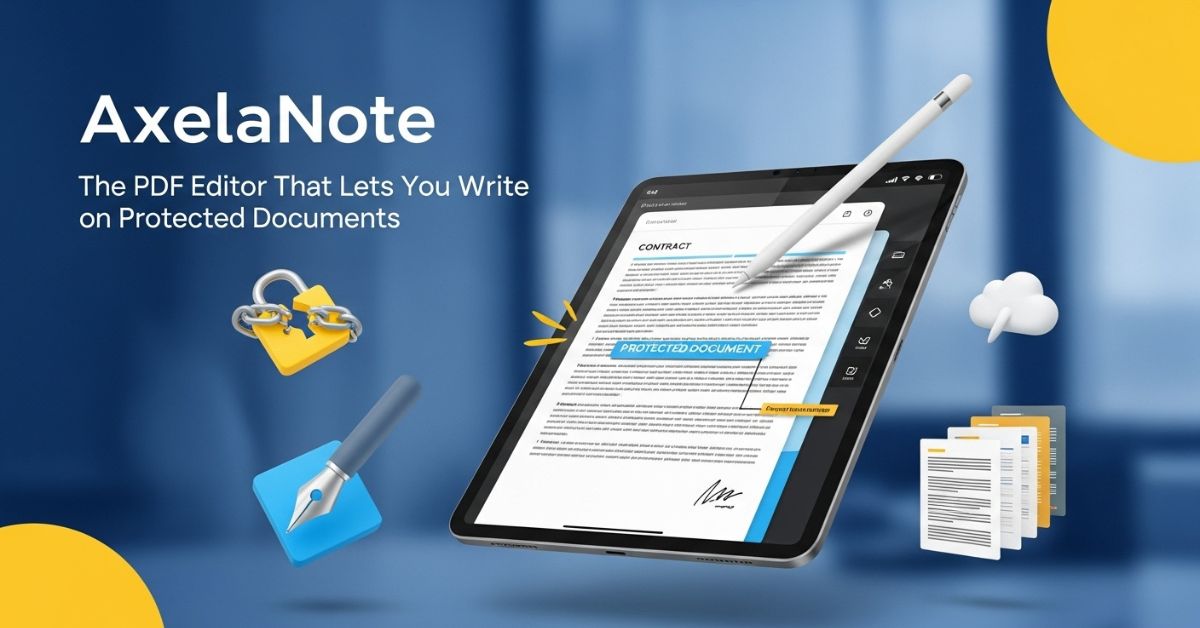
Here’s where AxelaNote changes the game. Instead of trying to crack open those locked files, this Windows software takes a completely different approach: it overlays a virtual transparent sheet on top of your PDF. Think of it like placing tracing paper over a document—you can write all you want without ever touching the original underneath.
Most PDF editors work by directly modifying the original file. They inject text boxes, stamps, and annotations right into the PDF’s code. That’s fine until you encounter a document with editing restrictions—then those tools become useless.
AxelaNote uses patented technology (protected in both the US and Japan) to create a separate layer above your PDF. This transparent overlay holds all your notes, drawings, and comments while the original file remains completely untouched. The software saves your work as an .axl file, keeping your annotations separate until you’re ready to merge them.
This approach solves three major headaches. First, you’ll never accidentally delete or modify the original content. Second, you can annotate PDFs that have editing restrictions enabled. Third, if you need to share just the original file without your notes, it’s still sitting there pristine and unchanged.
Who Actually Needs This Software
I’ve found that AxelaNote serves specific professional niches exceptionally well. Construction companies use it for architectural blueprints—one major developer reported eliminating their entire print-and-scan workflow after implementation. Government offices rely on it for handling official documents that can’t be altered. Universities have adopted it for remote learning, allowing students to mark up lecture materials without printing hundreds of pages.
Manufacturing facilities particularly benefit from the tool. Clean rooms can’t allow paper documents, so workers use AxelaNote on tablets to check off inventory lists and annotate specifications directly on digital files. The software works perfectly with Surface tablets and other touch-enabled devices, letting you write with a stylus just like you would with pen on paper.
Key Features That Make Work Easier
The transparent sheet concept is clever, but AxelaNote packs in several productivity boosters beyond that core innovation.
Handwriting and Touch Support You’re not stuck with a mouse and keyboard. The software supports full pen and touch input across all its features. You can write with a stylus and erase with your finger—natural movements that feel like working on a whiteboard. This makes it ideal for quick markup sessions during video calls or field work.
Pre-Set Phrases and Numbering Repetitive review work becomes faster with customizable text templates. Load common feedback phrases into the system, then insert them with a click. The automatic numbering feature helps when you’re adding sequential comments to lengthy documents or drawing sheets.
PDF Comparison and Page Management The package includes AxelaDiff for comparing two versions of a document side-by-side, highlighting changes between revisions. AxelaMerge handles page shuffling, letting you reorganize, remove, or insert pages without opening a separate tool.
CSV Export for Checklists Need to pull all your text annotations into a spreadsheet? The CSV export function extracts comments into a format you can manipulate in Excel or similar programs. Useful for creating summaries or tracking review progress across multiple documents.
Pricing: What You’ll Actually Pay
For individual users, AxelaNote runs on an annual subscription model at 3,900 yen per year (roughly $26 USD), or you can pay monthly at 390 yen ($2.60 USD). One user license lets you install the software on up to three computers simultaneously.
Corporate buyers work with resellers for volume licensing. There’s both user-based and device-based licensing available—device licenses make sense for shift work environments where multiple employees share workstations. The pricing includes email support and regular updates.
You get a 14-day free trial with full functionality, no credit card required upfront. Download the software, test it with your actual workflows, then decide if it’s worth the subscription cost.
What You Need to Run It
AxelaNote is Windows-only. It supports Windows 10 and 11 (both 32-bit and 64-bit versions). Your system needs at least 4GB of RAM, though more helps with larger PDF files. The software requires .NET Framework 4.5 or newer and the Visual Studio 2017 Microsoft Visual C++ redistributable package.
There’s a practical limit of 500 pages for A4-sized documents, and files can’t exceed 1 square meter in page dimensions. You can add up to 2,000 annotation objects per page. If you’re working with massive construction plan sets or engineering documents, you might need to split them into smaller files.
One important restriction: the license only works in Japan. If you’re operating outside Japanese jurisdiction, you’ll need to verify availability through TransRecog before purchasing.
Common Mistakes People Make
Don’t treat AxelaNote like a full PDF creation suite. It’s designed for annotation and markup, not for building PDFs from scratch or performing heavy conversions. If you need to merge dozens of separate documents or convert Word files to PDF, you’ll still need complementary software.
Another gotcha: the .axl file format only opens in AxelaNote. If you send an .axl file to someone without the software, they can’t view it. Always export a merged PDF version for external sharing. The merged PDF combines your transparent layer annotations with the original document into a standard PDF anyone can open.
Some users forget that while AxelaNote preserves your original PDF, the merged export creates a new file with your notes permanently embedded. Keep your .axl files as working copies if you might need to edit annotations later.
How It Stacks Up Against Alternatives
Adobe Acrobat remains the industry standard for comprehensive PDF work, but it costs significantly more and still can’t edit truly locked files without permission. AxelaNote’s transparent layer sidesteps that limitation entirely at a fraction of the price.
Free tools like PDF-XChange Editor offer basic annotation, but they modify the original file structure. That’s fine for personal documents but risky for official records, contracts, or client files where integrity matters. AxelaNote’s approach guarantees you can’t corrupt the source material.
For tablet-based note-taking, apps like GoodNotes and Notability work well on iPads but won’t help if you’re in a Windows-heavy workplace or need to integrate with desktop workflows. AxelaNote bridges that gap with full desktop functionality plus tablet support.
Real-World Performance
TransRecog has documented several implementation case studies that show practical impact. High-tech companies report eliminating paper from clean rooms while maintaining quality control procedures. Local government offices reduced budget processing time by annotating digital documents instead of printing review copies.
One construction firm highlighted how AxelaNote simplified collaboration across contractors, architects, and clients. Everyone could mark up the same blueprint files without worrying about version conflicts or accidentally erasing each other’s notes.
The software has earned recognition too—it’s picked up eight awards across six different competitions, including the Small and Medium Enterprise Agency Commissioner’s Award. Those aren’t user choice awards; they’re industry evaluations of technical innovation and business impact.
Is AxelaNote Right for Your Workflow
This tool excels in specific scenarios. If you regularly handle protected PDFs, work with official documents requiring integrity, or need tablet-friendly markup capabilities, AxelaNote solves problems other software can’t.
It’s less useful if you primarily create PDFs from scratch, need advanced editing like text reflow, or work mainly with fully editable documents where a free tool would suffice. The transparent layer approach adds value when original preservation matters—otherwise, you’re paying for features you don’t need.
The 14-day trial removes any guesswork. Download it, throw your typical PDF workflows at it, and see if the transparent sheet concept clicks with how you work. For the right user, it’s genuinely transformative. For others, it’s an expensive solution to a problem they don’t have.